

Buy USDT with Thai Baht
It is possible to buy USDT in Thai Baht through the Maxbit platform with simple steps as follows:


Registration and Verification of Identity (KYC)
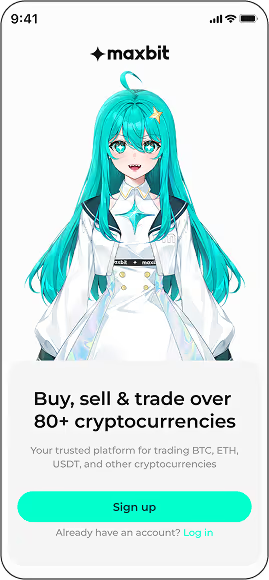
• Download the Maxbit app on both Google Play and App Store and sign up for an account according to the instructions
• Perform identity verification (KYC), bind bank accounts, and pass a basic crypto knowledge test before use.
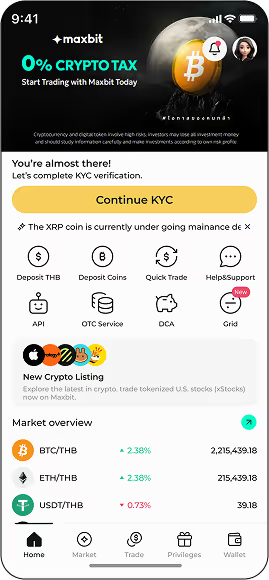

Baht Deposit
• Login → Select the “Deposit” icon on the home page
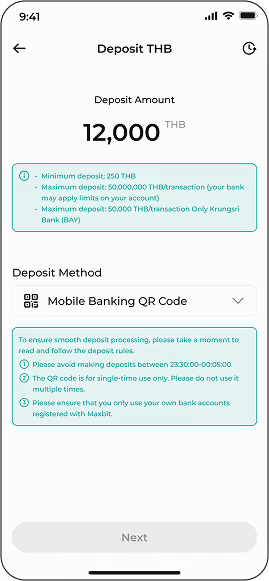
• Enter the amount you want to deposit → Press “Next” → The QR Code will be generated for scanning through your banking app (QR is valid for 24 hours and is valid only once)

Buy USDT
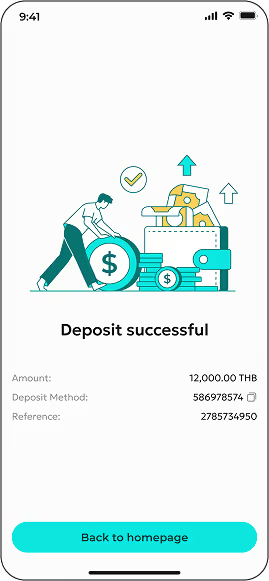
• After the balance has been credited to the account, the Thai Baht is ready for immediate use.
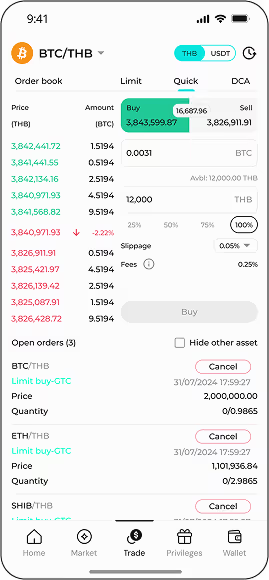
• Go to the “Buy/Sell” icon → Select USDT/THB trading pair
• Enter the amount of USDT or THB you want to buy and confirm the system order.


Fee Rate
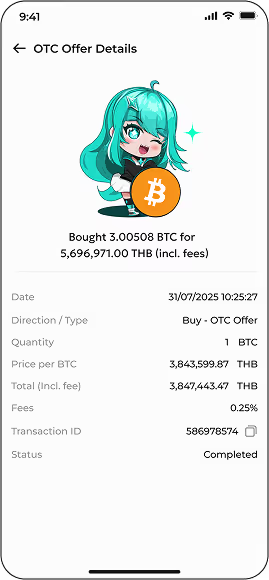
• The typical trading fee is 0.25% per order.
• (Fees may be adjusted based on promotion or account type)

Safety and customer service
• Maxbit is licensed by the Ministry of Finance and is under the supervision of the Office of A. L. T. Thailand and uses ISO 27001 and 27701 safety standards.
• 24/7 customer service via Live Chat within the app

DA & Cryptocurrency Brokerage licensed by Thailand's Ministry of Finance.

Boosting data security and building user confidence with the global standard

Our friendly support team is here 24/7 to help!

Seamless cross-border liquidity, efficient trading and enhances market stability.
Download the application Maxbit is available at


Securely register with a digital asset trading platform regulated by Thailand’s SEC.

Maxbit Digital Asset Co., Ltd., 90 CW Tower, 31st Floor, Room A3101-02, Ratchadaphisek Road, Huai Khwang Subdistrict, Huai Khwang District, Bangkok 10310, Thailand.
©2025 Maxbit. All Rights Reserved.


